Mini PC vs Laptop: Which Should You Buy If You Work From One Desk?
Mini PC or laptop for a home office? A 5-question decision table, what each costs you in screens and accessories, and the laptop-plus-dock option most guides skip.
DisclosureWe may earn a commission when you buy through links on this site, at no extra cost to you. As an Amazon Associate we earn from qualifying purchases.
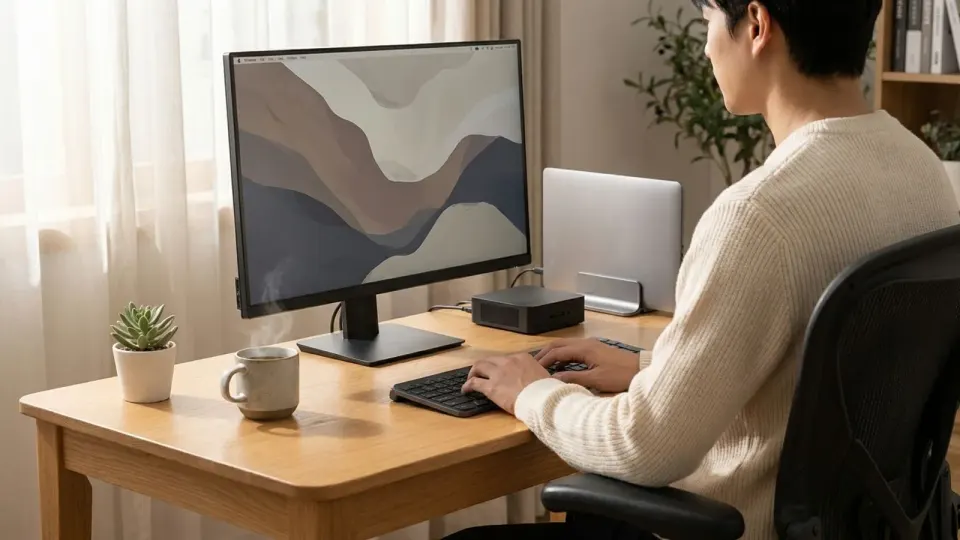
If you work from one desk and already own (or plan to buy) a monitor, keyboard and mouse, a mini PC is usually the better buy: more ports, more monitor outputs and, on many Windows models, memory and storage you can upgrade later. If you move around even a few days a month (couch, office, travel), buy a laptop. And if you need both, there’s a third option most comparisons skip: a laptop plus a dock, which gives you one-cable desk setup and a computer you can take with you.
The 5-question decision table
Answer these in order. The first “laptop” answer usually settles it.
| Question | If yes | If no |
|---|---|---|
| 1. Do you ever work away from this desk? | Laptop (or laptop + dock) | Keep going |
| 2. Do you already have a monitor, keyboard and mouse? | Mini PC | Count those into the mini PC budget |
| 3. Do you want two or three monitors? | Mini PC, or laptop + dock | Either |
| 4. Do you want to add memory or storage later? | Windows mini PC with SO-DIMM and M.2 slots | Either |
| 5. Do you need a built-in battery for power cuts or video calls on the go? | Laptop | Mini PC |
Side by side
| Mini PC | Laptop | Laptop + dock | |
|---|---|---|---|
| Works away from the desk | No | Yes | Yes |
| Screen, keyboard, mouse included | No | Yes (built in) | Yes, plus your desk gear |
| Monitor outputs | Often 2 to 4 | Usually 1 to 2 ports that carry video | Depends on laptop and dock |
| Memory upgrades | Often possible on Windows models | Rare on thin laptops | Same as the laptop |
| Ports at the desk | Plenty, built in | Few | Plenty, through the dock |
| Battery | None | Yes | Yes |
| Things to buy | PC + screen + keyboard + mouse + webcam | One device | Laptop + dock (+ screen) |
Where a mini PC wins
More outputs for monitors. Mini PCs are built to sit on a desk, so they tend to have more video outputs than a thin laptop. The GEEKOM A8 has two HDMI ports plus two video-capable USB-C ports, and GEEKOM lists support for up to four 4K displays. The Mac mini (M6) supports up to three external displays, per Apple.
Upgrade room. Many Windows mini PCs use standard memory modules (SO-DIMMs) and M.2 SSD slots. The GEEKOM A8 takes up to 64GB in two slots; the ASUS NUC 15 Pro has two memory slots and two SSD slots. Most thin laptops, and every Apple computer, have memory fixed at purchase.
You choose the screen and keyboard. A 27-inch monitor at eye level and a full-size keyboard are better for eight hours a day than any laptop screen. With a mini PC, that’s simply how it’s set up.
GEEKOM A8 (Ryzen 7 8745HS)
AMD Ryzen mini PC with two DDR5 SO-DIMM slots (up to 64GB), USB4, two HDMI outputs, support for up to four 4K displays, a VESA mount in the box and a 3-year warranty. Specs from geekompc.com.
- Processor
- AMD Ryzen 7 8745HS, 8 cores / 16 threads (other Ryzen options listed on the configurator)
- Graphics
- AMD Radeon 780M (integrated)
- Memory
- 16GB or 32GB DDR5 in 2 SO-DIMM slots, upgradeable to 64GB
GEEKOM lists two DDR5 SO-DIMM slots (up to 64GB), one PCIe 4.0 SSD slot, USB4, two HDMI 2.0 ports, a VESA mount in the box and a 3-year warranty. It’s our top Windows pick in the best mini PCs for a home office.
Where a laptop wins
It goes where you go. Hybrid workers, students and anyone who takes calls from the kitchen table need a laptop. A mini PC without a screen is useless off the desk.
A battery. A laptop keeps running through a short power cut and won’t drop your video call. A mini PC switches off the moment power does, unless you add a UPS.
One purchase. Screen, keyboard, trackpad, webcam, mic and speakers are all included. With a mini PC, each of those is a separate decision. Browse our work and business laptops if this is you.
The third option: laptop plus a dock
If you split your week between home and office, or you want the desk setup and portability, a dock turns a laptop into a desktop with one cable. At the desk it connects your monitors, keyboard, Ethernet and charging; when you leave, you unplug one cable.
What to check before you buy a dock:
- Which laptop port carries video. Many USB-C ports don’t. Our guide to portable monitors not working over USB-C explains how to check.
- How many monitors your laptop supports. This depends on the chip. On MacBooks it varies a lot by model; our MacBook dual monitor dock guide explains Thunderbolt vs DisplayLink docks chip by chip.
- Charging wattage. The dock should deliver at least what your laptop’s own charger does.
An example of a laptop built for this: the ThinkPad T14 Gen 4 is a 2023 business model that often turns up refurbished.
Lenovo ThinkPad T14 Gen 4 (Intel), refurbished
A 2023 business ThinkPad that turns up often as refurbished or renewed. Two Thunderbolt 4 ports, HDMI, Ethernet, and on DDR4/DDR5 models one free memory slot. Exact configuration depends on the unit you buy; base specs from Lenovo PSREF.
- Processor
- 13th Gen Intel Core i5 or i7 (U or P series)
- Memory
- DDR4 models up to 40GB, DDR5 models up to 32GB (one SO-DIMM slot); LPDDR5x models soldered, not upgradable
- Storage
- One M.2 2280 PCIe 4.0 x4 SSD slot, up to 2TB
Lenovo’s PSREF sheet lists two Thunderbolt 4 ports with DisplayPort 1.4, HDMI 2.1, Ethernet and support for up to three external monitors. On DDR4 and DDR5 models there’s one SO-DIMM slot; LPDDR5x models have soldered memory, so check the exact configuration of the unit you buy.
Pair it with a Thunderbolt dock for one-cable desk setup:
CalDigit TS4 Thunderbolt 4 Dock
An 18-port Thunderbolt 4 dock with 98W charging, 2.5GbE and lots of USB. It uses your Mac's own video outputs, so it can't add screens beyond your chip's limit. On base M1 and M2 Macs CalDigit lists one external display. Specs from caldigit.com.
- Host connection
- Thunderbolt 4 / USB4 (rear), up to 98W charging
- Thunderbolt ports
- 3x Thunderbolt 4 (1 host, 2 downstream), 40Gb/s
- USB
- 3x USB-C 10Gb/s, 5x USB-A 10Gb/s
CalDigit lists 98W charging, a DisplayPort 1.4 output plus two downstream Thunderbolt 4 ports for screens, and 2.5GbE. Per CalDigit, it runs two monitors at up to 4K 60Hz on most hosts.
Browse our docks, hubs and KVM switches.
What a mini PC really costs to set up
A mini PC’s price doesn’t include the things a laptop has built in. Budget for:
- A monitor (or two)
- A keyboard and mouse
- A webcam and microphone or headset for calls (many monitors have neither)
- Sometimes a USB-A hub, if the model is light on USB-A ports (the Mac mini has none, per Apple)
If you already own all of these, the mini PC usually wins on value. If you own none of them, the gap narrows. We don’t list prices because they change too often; compare the full basket on the day you buy.
Mac mini or Windows mini PC?
If you’re leaning toward a mini PC, the next question is the operating system. Pick the Mac mini if you already live in macOS or use an iPhone; pick Windows if your work software needs it or you want to add memory later. Our best mini PCs for a home office covers both, and Mac mini M6 vs Beelink SER9 Pro puts the two side by side.
Apple Mac mini (M6, 2026)
Apple's 5-inch-square desktop with the M6 chip, 16GB unified memory as standard, 2.5Gb Ethernet and support for up to three external displays. Memory and storage are chosen when you order and can't be added later. Specs from apple.com.
- Chip
- Apple M6, 12-core CPU, 12-core GPU (M5 Pro model also sold)
- Unified memory
- 16GB, configurable to 24GB or 32GB at purchase
- Storage
- 256GB SSD, configurable to 512GB, 1TB or 2TB at purchase
Apple lists 16GB of unified memory as standard, three Thunderbolt 4 ports, HDMI, 2.5Gb Ethernet and support for up to three external displays. Memory and storage can’t be added later, so choose them when you order.
Ready to pick?
- Mini PC: start with the best mini PCs for a home office.
- Laptop: browse work and business laptops or refurbished laptops.
- Laptop plus dock on a Mac: read the MacBook dual monitor dock guide.
- Second screen for a laptop: see our best laptop screen extenders and portable monitors.
FAQ
Is a mini PC cheaper than a laptop? Often, if you already own a monitor, keyboard, mouse and webcam. If you have to buy all of those, the gap narrows or disappears. Compare the whole basket on the day you buy.
Can a mini PC replace a laptop for working from home? Yes, if you always work at the same desk. It can’t go with you to the office, a café or the couch, and it has no battery.
Can I use a laptop like a desktop? Yes. Connect it to a dock with your monitors, keyboard, mouse and Ethernet, and it becomes a one-cable desktop. Check which of the laptop’s ports carry video and how many external monitors its chip supports.
Do mini PCs have Wi-Fi and Bluetooth? The models in our home office guide list both on their spec sheets, along with Ethernet. Check the spec sheet of any other model before you buy.
Sources
- GEEKOM A8 spec page (geekompc.com)
- Apple Mac mini tech specs (apple.com)
- ASUS NUC 15 Pro spec page (asus.com)
- Lenovo PSREF, ThinkPad T14 Gen 4 (Intel)
- CalDigit TS4 product page (caldigit.com)